Month Close
Finish the month's work, check VAT and stock, lock the month, and hand it to your accountant.
Finance → Month close walks through one month at a time: finish what is still open, check VAT and stock, then lock the month so its documents stay as your accountant saw them.
You need: the Finance permission. Locking and unlocking a month needs the permission to manage settings; the VAT summary needs access to reports.
The steps
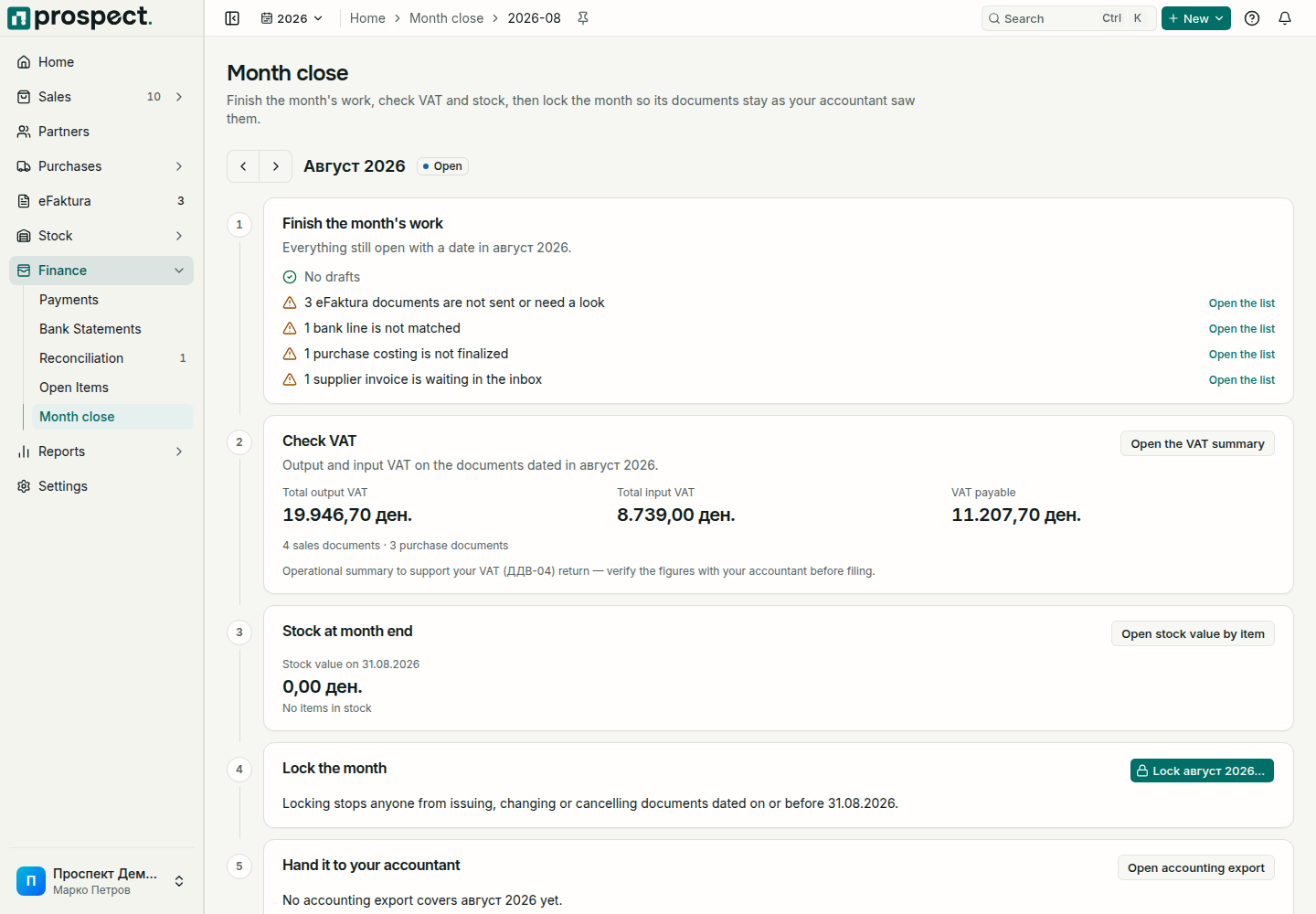
Finish the month's work lists everything still open with a date in that month, such as drafts, unbooked supplier invoices, or unmatched bank lines, with links to each.
Check VAT shows output and input VAT on the documents dated in the month. Open the VAT summary opens the full report; see VAT reporting.
Stock at month end shows the stock value on the month's last day. Open stock value by item opens the valuation. In the month a fiscal year ends, this is the value for its year-end inventory list.
Lock the month: choose Lock and read what locking does, add a note such as "VAT return filed" if you like, and confirm. When work is still open, Prospect lists it and asks you to tick I understand; lock the month anyway.
Hand it to your accountant shows whether an accounting export covers the month and whether the accountant has acknowledged it. Export after locking, so the figures cannot change afterwards.
What locking does
- Documents dated on or before the month's last day can no longer be issued, changed, or cancelled. Earlier days that are still open are locked too.
- Stock values up to that day are fixed; later corrections are booked on the next day.
- Payments can still be recorded and matched.
A month can be locked only once it is over, and not when its fiscal year is already closed. To change something in a locked month, choose Unlock… and enter a reason. The reason is kept in the activity log; tell your accountant, because reports they already have may change. Later locked months are unlocked with it.
After the last month of a fiscal year is locked, close the year under Settings → Fiscal years.